
How Proper Lighting Stops Eye Strain
We spend hours bathed in the glow of computer screens, harsh ceiling lights, or dim desk lamps. Then we wonder why our eyes ache and our focus fades by mid-afternoon. We often blame the screens themselves, but the actual culprit is usually hiding in plain sight.
Your lighting setup plays a massive role in your daily comfort and energy levels. Poor lighting forces your eyes to work overtime. It drains your energy, triggers headaches, and severely weakens your concentration.
Fixing this problem goes far beyond simply buying a brighter bulb. It requires a basic understanding of how your eyes and brain respond to different types of light.
In this post, we will explore the science behind visual fatigue. You will learn exactly how to create a lighting setup that supports both your physical comfort and your daily productivity.
The Science of Light, Vision, and Focus
Our eyes evolved under natural sunlight. Outdoors, light constantly shifts in brightness, angle, and color temperature throughout the day. Artificial lighting, however, remains static. Because of this artificial environment, your visual system constantly struggles to adapt.
Why Poor Lighting Hurts Your Eyes
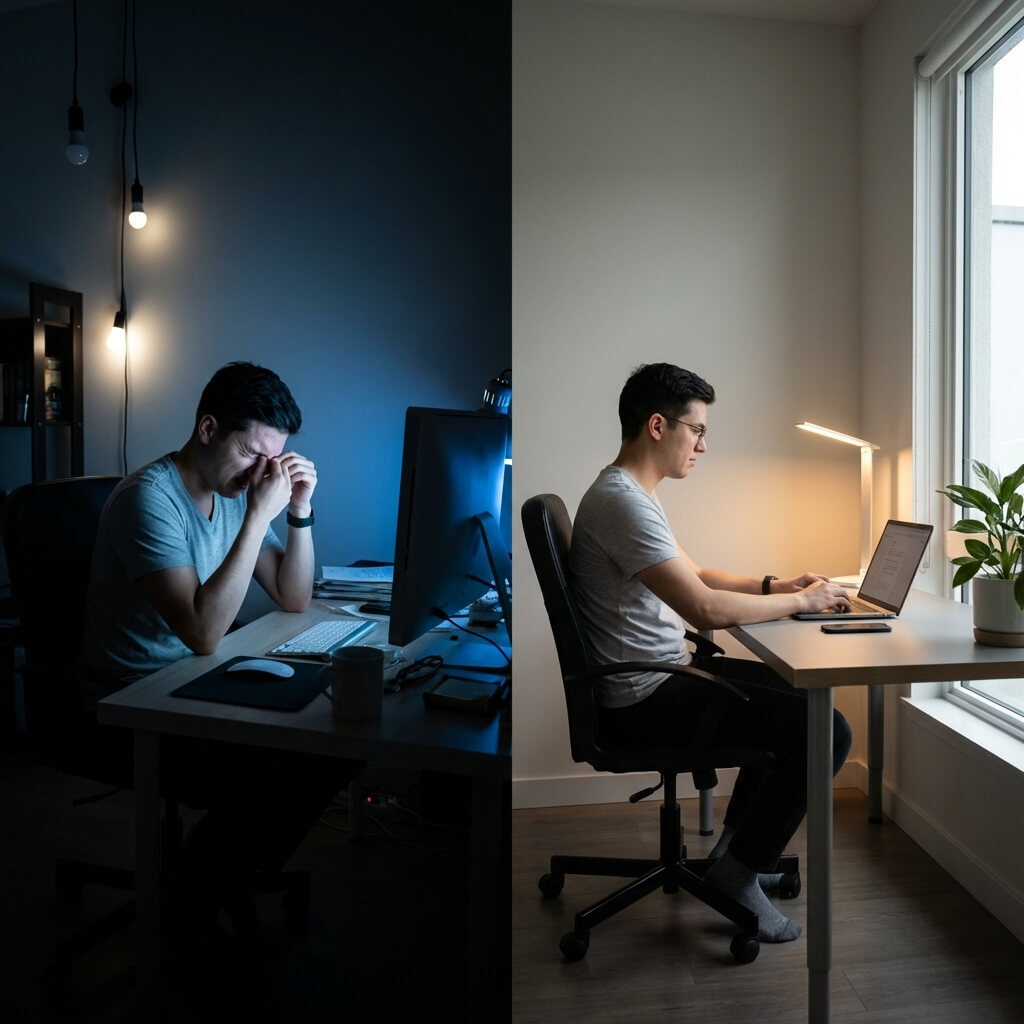
Your eyes rely on a complex network of tiny muscles to focus on close objects and regulate how much light enters your pupils. When you work in a room that is too dim, your pupils must expand heavily to gather enough visual information.
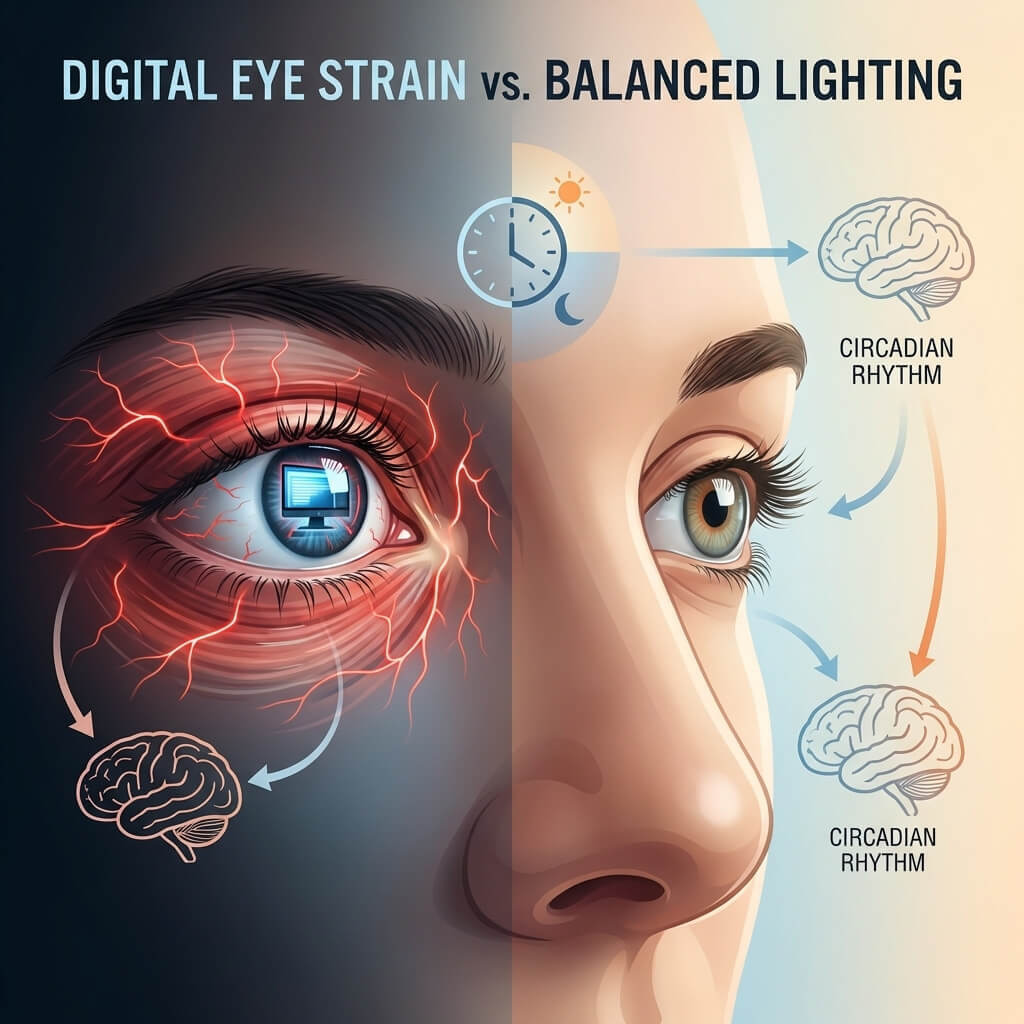
When lighting is too harsh or creates intense glare on your monitor, you naturally squint to compensate. Both of these situations put continuous, unnatural stress on your delicate eye muscles. Over time, this constant muscular tension leads to a condition called asthenopia, which we commonly know as eye strain.
If you suffer from eye strain, you will likely notice several distinct symptoms. Your eyes may feel dry, itchy, or irritated. You might experience blurred vision after looking at a screen for a few hours. Tension headaches often develop at the base of your neck or behind your eyes. You will also find it increasingly difficult to maintain focus on your tasks.
Another major issue is visual contrast. If your computer screen is significantly brighter or darker than the surrounding room, your eyes must constantly readjust every time you glance away from the monitor. This repeated effort quickly fatigues your focusing muscles, making it harder to stay productive as the afternoon wears on.
How Light Influences Your Brain
Lighting does not just affect your vision. It directly impacts your brain function and your overall energy levels.
Your body follows a natural internal clock known as the circadian rhythm. This biological rhythm is heavily regulated by your daily light exposure. Special receptors in your eyes detect the color and intensity of the light around you, sending signals directly to your brain to regulate your hormones.
Cool, bright light closely mimics morning and midday daylight. When your eyes detect this light, your brain suppresses melatonin and releases cortisol and serotonin. This chemical reaction signals alertness, keeping you focused and energetic.
Conversely, warm, dim light mimics the setting sun. This type of light signals your brain to release melatonin, promoting relaxation and preparing your body for sleep. If your workspace uses warm or low lighting, your brain literally interprets your environment as evening time. You will feel lethargic and tired, even if it is the middle of your workday.
Optimizing Lighting for Different Environments
Different spaces require completely different lighting strategies. You cannot apply a one-size-fits-all approach to illumination. Here is how to drastically improve the most common indoor environments.
Revamping the Home Office
Many home offices suffer from terrible lighting design. Remote workers often rely on a single overhead fixture or dim residential room lighting. To fix this, you need to use a layered lighting approach.
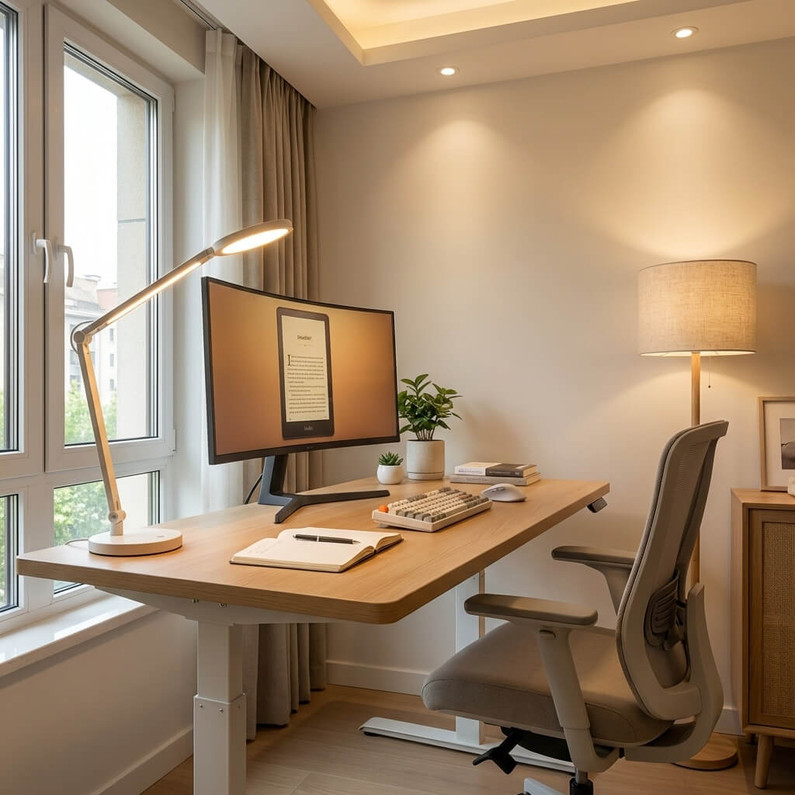
Start by maximizing natural light. Position your desk perpendicular to a window. If you face the window directly, you will deal with blinding glare. If you sit with your back to the window, the sunlight will wash out your computer screen.
Next, add ambient light to balance the room. Use soft, indirect lighting to fill the dark corners of your office. This reduces the harsh contrast between your bright screen and the rest of the room.
Finally, introduce a high-quality task light. Add an adjustable desk lamp for focused work, such as reading documents or taking notes. This allows you to direct extra illumination exactly where you need it without causing screen glare.
Brightening Up Classrooms
Lighting plays a foundational role in student performance, behavior, and engagement. Schools with poor lighting often see higher rates of student fatigue and lower test scores.
Bright, cool lighting helps improve concentration during critical periods like exams or intensive reading assignments. The cooler color temperature mimics daylight, keeping students alert and focused.
Alternatively, warmer lighting supports open discussion and reduces anxiety. Teachers can use slightly dimmer, warmer lights during group projects or quiet reading time to create a relaxed, welcoming atmosphere. When dynamic lighting systems are unavailable, maximizing natural daylight remains the most effective way to maintain student energy.
Upgrading Corporate Workplaces
Corporate offices are notorious for relying on harsh, direct fluorescent lighting. These cheap fixtures create intense glare on screens and glossy desks, leading to widespread visual discomfort among employees.
A much better approach involves indirect lighting. Offices should use fixtures that reflect light off the ceiling, creating a soft, even wash of illumination across the room. This completely eliminates harsh shadows and dramatically reduces glare.
Providing individual task lighting for each workstation is also vital. Older eyes require significantly more light to read comfortably than younger eyes. Personalized desk lamps allow every employee to customize their immediate environment and work comfortably.
Practical Tips for Immediate Relief
You do not need to tear down your ceiling and perform a full remodel to improve your lighting. A few small, strategic adjustments can make an enormous difference in how your eyes feel.
Choose the Right Color Temperature
Always check the Kelvin (K) rating when purchasing light bulbs. This number tells you the color temperature of the light.
Use bulbs rated between 4000K and 5000K for areas where you need to focus, work, and stay productive. This crisp, cool light will keep your brain alert. Save the warm bulbs, rated between 2700K and 3000K, for your living room, bedroom, or spaces dedicated to relaxation.
Balance Your Screen Brightness
Your computer screen should feel completely balanced with the room around it. It should never look like a brilliant flashlight shining in a dark cave, nor should it look like a dim shadow against a bright window.
A simple test is to open a blank white document. If the white background acts like a light source and illuminates your face, your screen is too bright. If it looks dull and gray compared to the room, your screen is too dark. Adjust your settings until the monitor matches your ambient environment.
Practice the 20-20-20 Rule
Even if you have the most perfect lighting setup in the world, staring at a fixed distance for hours will eventually cause fatigue. You must give your focusing muscles a break.
Follow the 20-20-20 rule to protect your vision. Every 20 minutes, stop looking at your screen. Look at an object that is at least 20 feet away. Keep your eyes on that distant object for exactly 20 seconds. This simple habit forces your internal eye muscles to relax and reset.
Evaluate Your Environment
Proper lighting is not just a matter of aesthetic comfort. It is absolutely essential for your long-term eye health and daily productivity.
Take a moment right now to assess your primary workspace. Look for strong shadows or annoying glare on your screen. Decide if your ambient lighting feels too dim or uncomfortably warm for a work environment. Check if your monitor stands out too much from the background.
Even minor changes can drastically improve your daily experience. Adjusting your desk position, opening a set of blinds, or adding a quality task light will instantly reduce visual fatigue.
A Smarter Lighting Solution
Upgrading your workspace lighting doesn’t have to be complicated—choosing solutions designed for visual health can eliminate the guesswork and dramatically improve your comfort. Brands like Cocoweb offer thoughtfully engineered, glare-free LED lighting with adjustable brightness and optimal color temperature, helping you create a balanced environment that supports both focus and your natural circadian rhythm. Instead of dealing with harsh or dim lighting, you can enjoy clean, consistent illumination that reduces eye strain and boosts productivity. Ultimately, investing in better lighting is an investment in your health, energy, and performance—so take a moment to evaluate your setup and make one simple change that can transform your entire workday.
Recent Posts
-
How Proper Lighting Stops Eye Strain
We spend hours bathed in the glow of computer screens, harsh ceiling lights, or dim desk lamps. Then …24th Mar 2026 -

Post Light Mistakes to Avoid When Lighting Your Pathways
Lighting your pathways with post lights can instantly boost the safety, functionality, and curb appe …16th Mar 2026 -

Pantone’s 2026 Color of the Year: Lofty White
Introducing Lofty White: Pantone Color of the Year 2026 The design world has its new north star: Lof …23rd Feb 2026